



IMSI Design Releases TurboCAD 2026
Redefining Precision and Creativity in CAD Design
NOVATO, Calif. – May 11, 2026 – IMSI® Design, a leader in CAD software innovation, announces the release of TurboCAD® 2026, a milestone upgrade that advances performance, interoperability, visualization, and AI‑powered design assistance. With more than 100 new features and enhancements, TurboCAD® 2026 delivers a faster, more intuitive, and more intelligent design environment for professionals across architecture, engineering, manufacturing, and visualization.

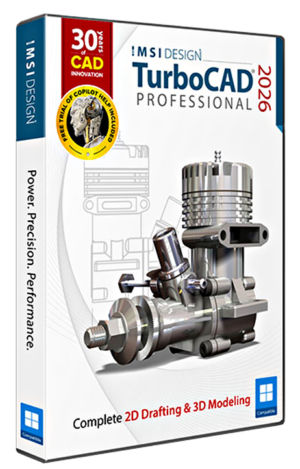
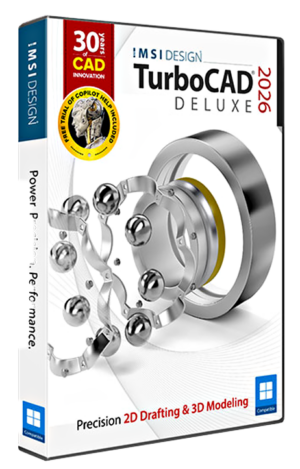
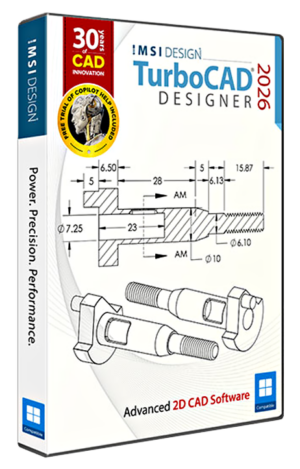
Key New and Improved features include:
Performance, User Interface & Usability
TurboCAD® 2026 introduces a modernized interface with a new Dark/Light Theme Toggle, a redesigned Draw Menu, and a faster Command Finder that surfaces tools instantly with predictive suggestions and visual icons.
The Drafting Palette now adapts more fluidly to evolving models, keeping annotations stable while allowing objects to be added or removed at any time. Additional refinements include clearer Start Page messaging, a Recent Commands menu for quick access, and an updated WebView2 engine for smoother, more responsive HTML‑based components.
Installation & Deployment
A new Unified Multi‑Language Installer simplifies setup by including all supported languages in a single package. Users can select their preferred interface language during installation and switch languages at any time without reinstalling.
TurboCAD® 2026 is fully localized in English, French, and German. Additional languages are included in the installer, but their localization work is going on. Updated language files will be delivered through upcoming in‑app patches as localization work continues.
TurboCAD® 2026 also introduces smarter file organization for image
Installation & Deployment
A new Unified Multi‑Language Installer simplifies setup by including all supported languages in a single package. Users can select their preferred interface language during installation and switch languages at any time without reinstalling.
TurboCAD® 2026 is fully localized in English, French, and German. Additional languages are included in the installer, but their localization work is going on. Updated language files will be delivered through upcoming in‑app patches as localization work continues.
TurboCAD® 2026 also introduces smarter file organization for images, reports, and logs, along with a Clean Startup mode that bypasses initial dialogs for troubleshooting or controlled deployment.
2D, 3D & Modeling Enhancements
New drafting and modeling tools expand creative and technical control. Graphic on Path enables smooth placement of objects along curves, while the enhanced Split Tool supports precise, dimension‑driven segmentation.
For 3D workflows, TurboCAD® 2026 introduces Direct 2D Unfolding for sheet metal, an improved Unbend Tool with K‑Factor control, a Closed Loft option for continuous surfaces, and Imprint Projection for embedding curves or text directly into solids.
Rendering and Visualization
TurboCAD® 2026 delivers the fastest ACIS performance to date, with 10–15× faster render‑prep for models using multiple face materials. The Visualize engine has been updated for smoother navigation, improved stability, and more accurate display of complex assemblies.
Copilot — Smarter, More Integrated Assistance
The new Copilot Render, available in the Copilot Professional add‑on, brings concept visualization directly into TurboCAD. Describe the style, lighting, materials, or mood you want, and Copilot generates expressive concept images right on top of your drawing—without changing geometry or leaving the workspace. Variations appear instantly, making it easy to compare directions and refine ideas as they develop. Each result is saved as a Copilot Named View, so designers can revisit concepts or branch into new ones at any time. Copilot Render turns early‑stage visualization into a fast, intuitive part of the design process, fully integrated with the technical model. Additional Copilot Professional capabilities include Copilot‑generated textures and a Part Finder for mechanical components.
The new Command Assistant interprets natural‑language requests and surfaces relevant commands instantly. The Smart Help Trigger displays contextual guidance as tools are activated, while new toggle‑based request tabs make Copilot interactions clearer and more predictable.
Executive Insights
“Copilot Render is a breakthrough for early‑stage visualization,” says Tim Olson, Vice President of IMSI® Design. “Designers can explore ideas instantly, right inside the CAD environment, without breaking their workflow. Combined with faster ACIS performance and smarter interoperability, TurboCAD 2026 delivers meaningful improvements for professional design.”
“TurboCAD 2026 delivers a cleaner, faster, and more intuitive design experience across the entire product,” says Rita Buschmann, Vice President of Product Management, CAD and Home Design. “From the modernized interface and unified installer to improved drafting tools, smarter file handling, and major performance gains in ACIS and Visualize, this release strengthens everyday workflows for professionals. Our focus was clarity, speed, and reliability — helping users stay productive from the moment TurboCAD launches.”
Copilot Availability & Term Plans
All TurboCAD® 2026 purchases include a complimentary trial of TurboCAD® Copilot Help, an optional plug‑in powered by Retrieval‑Augmented Generation (RAG). Copilot Help delivers context‑aware answers drawn from trusted documentation, FAQs, video tutorials, and product guides—providing immediate, relevant assistance directly inside the design environment. It also includes the new Command Assistant, which interprets natural‑language requests and surfaces relevant tools, and the Smart Help Trigger, which displays contextual guidance automatically as commands are activated.
For users seeking a more dynamic, design‑integrated experience, TurboCAD® Copilot Professional is offered as an optional plug‑in. It includes everything in Copilot Help and extends it with advanced AI‑powered tools for visualization, material development, part discovery, natural‑language interaction with CAD data, general AI assistance, text‑to‑image generation, rendering‑scene analysis, visual reporting tools, basic text‑to‑CAD creation, and parametric part creation and editing. New 2026 capabilities include Copilot Render for concept imagery directly on top of CAD drawings, Copilot Images as Material Textures, and the Copilot‑Powered Part Finder for inserting mechanical components through natural‑language search. Copilot Professional delivers a more intelligent, fluid, and visually driven design experience.
TurboCAD 2026 Feature Comparison
Quickly see the feature differences of TurboCAD Platinum, TurboCAD Professional, TurboCAD Deluxe, and TurboCAD Designer.
COMPARISON CHART
| Platinum | Professional | Deluxe | Designer | ||
|---|---|---|---|---|---|
| Performance, User Interface and Usability | |||||
|
AutoCAD®-like 2D Drafting
|
✔ | ✔ | ✔ | ✔ | |
|
Undo Manager
|
✔ | ✔ | ✔ | ✔ | |
|
Dark Theme/4K Support
|
✔ | ✔ | ✔ | ✔ | |
|
Ribbon UI Customization
|
✔ | ✔ | ✔ | ✔ | |
|
Audit System
|
✔ | ✔ | ✔ | ✔ | |
|
NEW:Newly designed launcher and start screen with workspace selection
|
✔ | ✔ | ✔ | ✔ | |
|
NEW: Find Command in Ribbon UI
|
✔ | ✔ | ✔ | ✔ | |
|
Copilot Help (free 1-Year-Subscription)
|
✔ | ✔ | ✔ | ✔ | |
|
Copilot Professional
|
Optional Plug-in |
Optional Plug-in |
Optional Plug-in |
Optional Plug-in |
|
| Advanced UI Tools | |||||
|
Progress Meter for Interop Filters
|
✔ | ||||
|
Command Line with Dynamic Input LTE Workspace)
|
✔ | ✔ | |||
|
Purge Tool
|
✔ | ||||
| Layer & Design Management | |||||
|
Layer Filters
|
✔ | ✔ | ✔ | ||
|
Design Director
|
✔ | ✔ | ✔ | ||
| 2D DRAFTING & EDITING | |||||
| Basic 2D Tools | |||||
|
2D Drawing, Editing, and Modifying
|
✔ | ✔ | ✔ | ✔ | |
|
Bezier Curves
|
✔ | ✔ | ✔ | ✔ | |
|
Smart Dimension Tools
|
✔ | ✔ | ✔ | ✔ | |
|
PDF Underlay
|
✔ | ✔ | |||
| Advanced 2D Tools | |||||
|
Advanced Drawing Tools (Gear, Surface Tolerance, Text along Curve)
|
✔ | ||||
|
Best Fit Circle/Line
|
✔ | ✔ | ✔ | ||
|
Auto Numbering Feature
|
✔ | ✔ | ✔ | ✔ | |
|
Associative Arrays and Pattern Tools
|
✔ | ✔ | |||
| 3D Modeling & Editing | |||||
| Basic 3D Tools | |||||
|
3D Surface Primitives, Booleans, Helix
|
✔ | ✔ | ✔ | ||
|
3D Splines and Polylines
|
✔ | ✔ | ✔ | ||
| Basic 3D Operations | |||||
|
Extrude, Sweep, Revolve Generate 3D objects from 2D profiles.
|
✔ | ✔ | ✔ | ||
|
Mirror Copy Tool for 3D Objects
|
✔ | ✔ | ✔ | ||
|
Slot Tools
|
✔ | ✔ | ✔ | ||
| Advanced 3D Tools | |||||
|
Advanced Blending Functionality Smoothly blends between 3D surfaces.
|
✔ | ||||
|
3D Patterns from Compound Profiles
|
✔ | ||||
|
Surface Extrude for Polylines/3D Curves
|
✔ | ✔ | |||
| Facet Editing | |||||
|
Facet Editor (Copy/Delete Faces, Multi-Window Work)Edit mesh/facet models, copy/delete faces, and work in multiple windows.
|
✔ | ||||
|
Bypass Material Assignment to Faces
|
✔ | ||||
| Mechanical Design | |||||
|
Flange Sheet, Unbend Tool
|
✔ | ||||
|
Hole Tool – Custom Holes
|
✔ | ||||
|
ACIS®
|
✔ | ||||
| Surface & Advanced Modeling | |||||
|
Surface on Face (Offset Option)
|
✔ | ||||
|
Surface by Set of Polylines
|
✔ | ✔ | |||
|
Lofting Tool with Skinning/Sweep Path
|
✔ | ||||
| Associative Tools | |||||
|
Associative Intersections/Sections
|
✔ | ||||
| 3D Print & Repair | |||||
|
3D Print Repair Tool
|
✔ | ✔ | ✔ | ||
| Other Tools | |||||
|
Shell Tool, Face Offset
|
✔ | ||||
|
ACIS® Faceter Surface Tolerance
|
✔ | ||||
|
Advanced 3D Editing
|
✔ | ||||
|
3D Extrusion & Revolve
|
✔ | ✔ | ✔ | ||
|
Part Tree/History Tree
|
✔ | ||||
|
NEW: AI-powered Part Creator / Part Editor
|
✔ | ISO Hex Screw & Nut Excluded |
Limited | ||
|
NEW: AI-powered basic Text-to-CAD
|
✔ | ✔ | ✔ | ✔ | |
|
Solid Modeling Tools
|
✔ | ||||
|
Imprint Tools
|
✔ | ||||
|
Law Tools
|
✔ | ||||
|
Sheet Metal Tools
|
✔ | ||||
|
Surface and Mesh Tools
|
✔ | ||||
|
Face Manipulation Tools
|
✔ | ||||
|
3D Print & Repair Tools
|
✔ | ✔ | ✔ | ||
|
Associative Modeling
|
✔ | ||||
|
Modeling Engine
|
✔ | ||||
|
Precision Tools
|
✔ | ||||
|
Point Cloud Triangulation, Subset Point Cloud
|
✔ | ✔ | |||
| Architectural Design & GIS | |||||
|
House Builder Wizard
|
✔ | ✔ | ✔ | ||
|
Simple BIM via IFC Support
|
✔ | Import Only |
Limited | ||
| Intelligent (Parametric) Architectural Objects | |||||
|
Walls (Self-Healing; Straight, Curved; Block Insert)
|
✔ | ✔ | ✔ | ||
|
Compound Wall Definitions / Multi-Component Walls
|
✔ | ||||
|
Windows & Doors
|
✔ | ✔ | ✔ | ||
|
Muntins for Windows & Doors
|
✔ | ||||
|
Roofs
|
✔ | ✔ | ✔ | ||
|
Slabs (Floor and Roof Slabs, with Openings)
|
✔ | ✔ | |||
|
Stairs
|
✔ | ||||
|
Rails
|
✔ | ||||
|
Markers
|
✔ | ✔ | ✔ | ||
| Schedule Tools | |||||
|
Schedule
|
✔ | ✔ | ✔ | ||
|
Schedule Tool and Wizard
|
✔ | ✔ | |||
| Architectural Documentation | |||||
|
Architectural Sections and Elevations
|
✔ | ✔ | |||
| Grids and Structural Tools | |||||
|
Architectural Grid – AEC Grid
|
✔ | ✔ | ✔ | ✔ | |
|
AEC Radial Grid
|
✔ | ✔ | |||
| Style Management | |||||
|
Style Manager
|
✔ | Limited | Limited | ||
| Advanced Architectural Tools | |||||
|
Self-Trimming and Self-Aligning Blocks
|
✔ | ✔ | ✔ | ||
|
Geolocation of Drawings, Compass Rose
|
✔ | ✔ | ✔ | ||
|
Array Tools for ADT (Architectural Desktop) Objects
|
✔ | ✔ | ✔ | ||
|
BIM Tool (BIM Palette)
|
✔ | ✔ | ✔ | ||
|
Removal of Lines Between Floors in Multi-Story Houses
|
✔ | ✔ | ✔ | ||
|
Railing by Path for Polyline Arc Segments
|
✔ | ✔ | ✔ | ||
| Roof Tools | |||||
|
Roof: Different Overhangs for Each Side
|
✔ | ✔ | ✔ | ||
|
Multi-Level Roof (Gambrel Roof)
|
✔ | ✔ | ✔ | ||
|
Roof Including Cut Edge Type: Horizontal
|
✔ | ✔ | ✔ | ||
| Terrain Tools | |||||
|
Create Terrain by Set of Polylines
|
✔ | ✔ | |||
|
NEW: Curtain Walls
|
✔ | ✔ | ✔ | ||
|
NEW: Curtain Wall Entity, Style, Tool, Edit, Split/Join Tools, V-Meet Support
|
✔ | ✔ | ✔ | ||
| Photorealistic Rendering | |||||
|
3D Photorealistic Rendering
|
✔ | ✔ | ✔ | ||
|
Customizable Luminances and Material Libraries
|
✔ | ✔ | ✔ | ||
|
Visualize: Hidden Line, Draft Render, Anti-Aliasing, Ambient Occlusion
|
✔ | ✔ | ✔ | ||
|
TurboLux: Import Scene, Lighting, Draft/Quality Rendering
|
✔ | ✔ | ✔ | ||
|
NEW: TurboLux Ground Shadow
|
✔ | ✔ | ✔ | ||
|
NEW: TurboLux Scene Tone Mapping (Brightness Slider)
|
✔ | ✔ | |||
|
IMPROVED: Default Scene Lighting Settings
|
✔ | ✔ | |||
| Database & Programmatic | |||||
|
Blocks, Xref Support
|
✔ | ✔ | ✔ | ||
|
Programmable SDK & Ruby Scripting
|
✔ | ||||
| Interoperability | |||||
|
AutoCAD® (DWG/DXF) File Compatibility
|
✔ | ✔ | ✔ | ||
|
Adobe® 3D PDF Export
|
✔ | U3D Only |
|||
|
3D Printer Support (STL)
|
✔ | ✔ | ✔ | ||
|
SketchUp Import
|
✔ | ✔ | ✔ | ||
|
Import and Open File Formats
|
54 | 25 | 22 | 15 | |
|
Export, Save As, and Publish File Formats
|
34 | 27 | 23 | 16 | |
|
NEW: Updated Teigha (ODA) to 25.7 Version
|
✔ | ✔ | ✔ | ✔ | |
|
NEW: SketchUp Filter Improvement (2024 SDK)
|
✔ | ✔ | ✔ | ||
|
IMPROVED: ODA STEP Import
|
Already Included in ACIS® |
✔ | |||
| Other | |||||
|
Network License Support
|
✔ | ✔ | ✔ | ||
|
Spatial ACIS®
|
✔ | ✔ | |||
Contact Details:
TurboCAD Africa
© 2026 IMSI Design, LLC. All rights reserved. IMSI and TurboCAD are registered trademarks and/or trademarks of IMSI Design, LLC. All other identifiable marks are the property of their respective owners.